 Stickerit
Your photos, your stickers
Cut out anyone in one tap, add an outline and a caption, and send whole packs to Telegram, WhatsApp and iMessage.
Download on the App Store
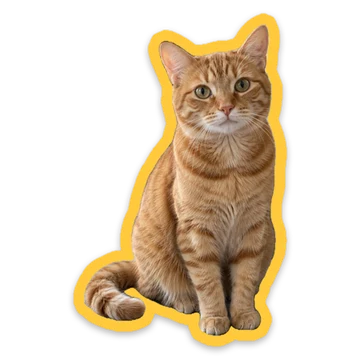
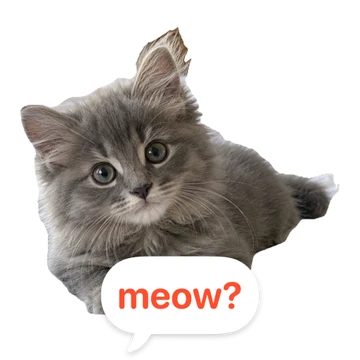

A sticker pack in a minute
No drawing around things by hand, unless you want to.
Pick a photo
Stickerit finds the people, pets and things in it and cuts them out for you.
Make it yours
A white die-cut outline, a caption, a heart or a star, and the emoji it stands for.
Send the pack
Add it to Telegram, WhatsApp or iMessage, and keep adding to it later.
Everything a sticker needs
One-tap cut-out
Pick who goes in the sticker when there are several people or pets in the photo.
Brush and scissors
Fix the edges with a brush or cut it out by hand, with a magnifier under your finger.
Outline, text, shapes
Five caption styles, outline colours, a soft shadow, circles, hearts and stars.
Telegram packs that update
Send the pack once, then add, change or reorder stickers: everyone who added it gets the update.
WhatsApp and iMessage
Packs go straight into WhatsApp, and every pack is already in Messages.
Private, on all your devices
No account, no ads, no tracking. Photos are cut out on the device, and your packs sync through your own iCloud.

Questions, answered
Is Stickerit free?
Yes, it's free. You can upgrade to Pro, a one-time purchase, for unlimited packs.
Which messengers does it work with?
Telegram, WhatsApp and iMessage. You can also save stickers to Photos or share them anywhere.
Can I add stickers to a pack I've already sent to Telegram?
Yes. Send the pack again and Stickerit updates the same Telegram pack: new, changed, removed and reordered stickers. Its link stays the same, so everyone who added it sees the change.
Do my photos leave my phone?
Only to your own iCloud: with iCloud on, Stickerit keeps your packs, and the photos they were cut from, in sync between your iPhone and iPad there, where only you can see them. Cutting out and styling happen on your device. Only the finished stickers of a pack you send to Telegram go to Telegram, to make the pack.
Will I lose my stickers on a new phone?
No. With iCloud on, your packs come back on a new iPhone or iPad, and after you reinstall the app. You can turn syncing off in the app's Settings.
Do I need an account?
No account and no sign-up. Open the app and pick a photo.